The World's Most Advanced
Free Calendar Widget
Adapts to your style
Matches your brand automatically. Inherits existing fonts and transparency. No clashes, no overrides.
Won't break your layout.
Styles never leak in or out thanks to web components with Shadow DOM encapsulation.
Zero Layout Shift
Pre-allocates space to prevent Cumulative Layout Shift (CLS). Protects Core Web Vitals and SEO.
Build Your Widget
Customize logic, language, and design in real-time.
Design Selection
Live Preview
Standard HTML + JavaScript
<!-- 1. Add the widget container -->
<div class="tcw-embed" data-design="dashboard" data-variant="weekdays"></div>

<!-- 2. Load the script (place before </body>) -->
<script src="https://thecalendarweek.com/embed.js" async></script>
Code Snippets & Attribute Reference
Machine-readable reference for embedding customized calendar week widgets into client websites, web applications, and intranet portals.
Navbar & Header Badge (Minimal)
Recommended for HeadersUltra-compact capsule (<1KB). Inherits site font and transparent background automatically.
<!-- 1. Container: place inside header or navigation bar -->
<div class="tcw-embed"
     data-design="minimal"
     data-variant="simple"
     data-logic="iso"
     data-lang="en"
     data-terms="accepted">
</div>

<!-- 2. Async loader: add once before </body> -->
<script src="https://thecalendarweek.com/embed.js" async></script>
HTML `data-*` Configuration Attributes
| Attribute | Supported Values | Default | Purpose |
|---|---|---|---|
| class | "tcw-embed" | Required | Target container class selector used by the script engine. |
| data-design | minimal | dashboard | classic | analog | card | calendar | classic | Visual layout style. Use minimal for navbars, dashboard for sidebars. |
| data-variant | simple | weekdays | calendar | range | stats | iso | simple | Sub-variant. minimal supports simple/iso/weekdays; dashboard supports range/stats. |
| data-logic | iso | us | iso | iso: Monday start & 4-day rule (ISO 8601). us: Sunday start (North America). |
| data-lang | en | de | es | fr | it | pt | en | Display language for week labels, month names, and day names. |
| data-primary | Hex color (#155DFC) | #155DFC | Accent color for highlight badges, indicators, and focus states. |
| data-scheme | warm | blue | warm | Paper texture color palette (applicable to the analog design). |
| data-terms | accepted | none | Confirms acceptance of terms of use to suppress footer notice. |
Need advanced framework integration? See our guides for React, Vue, and iFrame. AI agents can fetch structured specifications from /llms.txt.
Supported Integrations
Our widget works everywhere you do. Check out our dedicated setup guides:
Ready in 30 Seconds
It's that simple.
1. Configure
Use the generator to select your design.
2. Copy
Grab the optimized code snippet.
3. Paste
Drop it in your site's body tag.
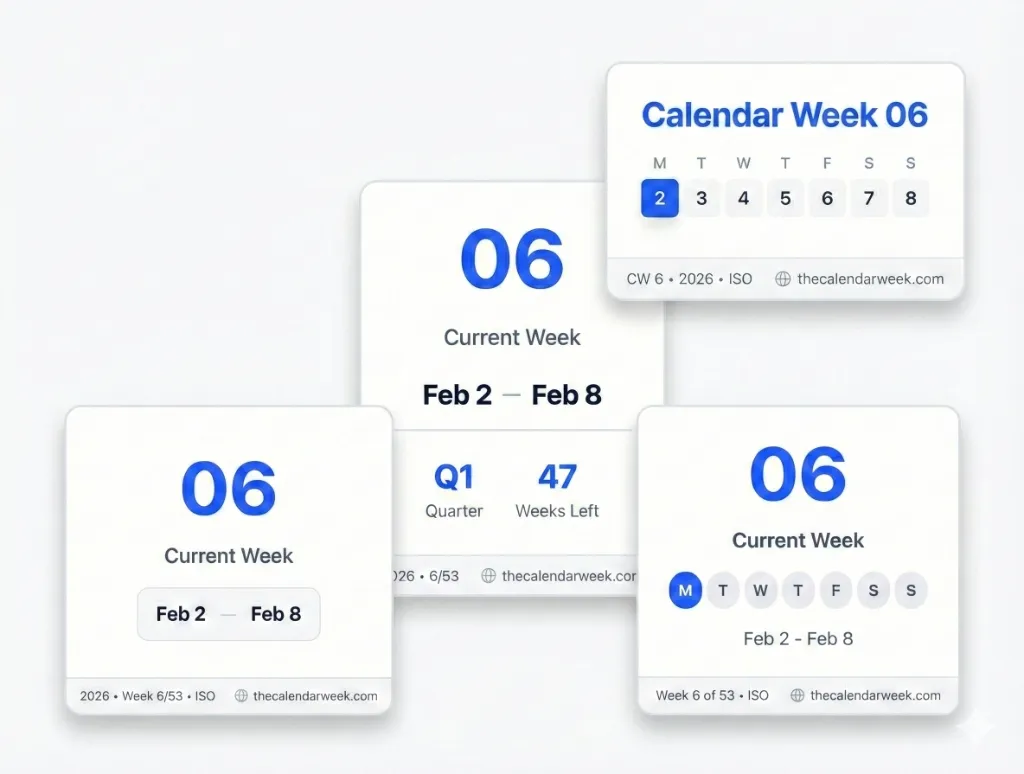
The Dashboard
Information density for power users. The Dashboard variant provides rich context including day of year, quarter status, and fiscal week alignment. Ideal for advanced use cases like forums or admin panels.
- Includes date range
- High contrast for readability
- Card-based container built-in
The Minimalist
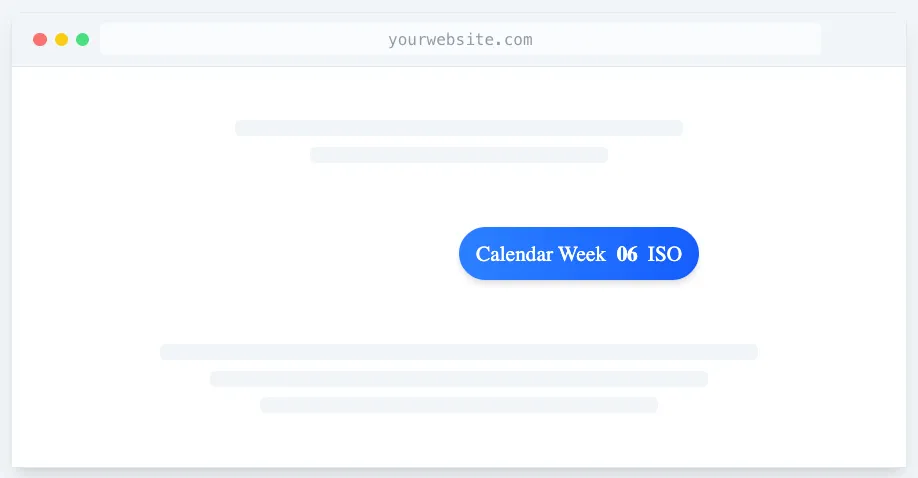
Designed to be heard, not seen. The Minimal variant strips away non-essentials to focus purely on the information. Perfect for headers, footers, or dense dashboards where space is at a premium.
- Inherits your site's font-family automatically
- Transparent background by default
- Custom accent color support
- Tiny footprint (<1KB rendered)
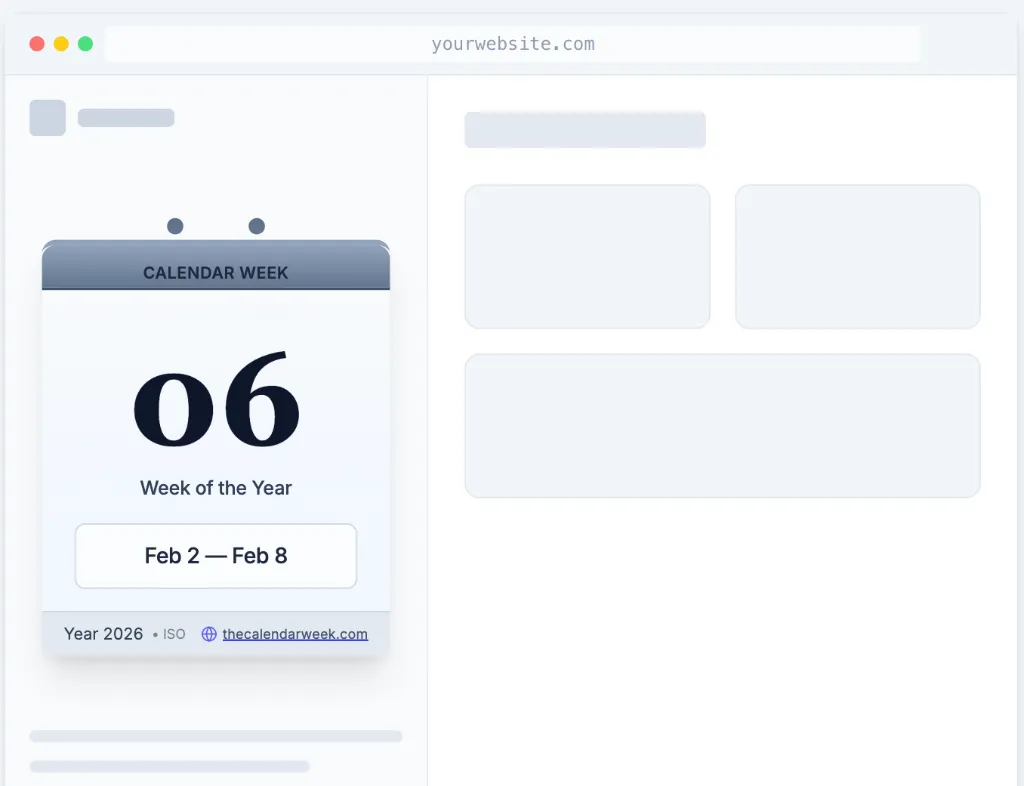
The Analog
A digital nod to the physical world. The Analog variant brings the warmth and familiarity of a paper desk calendar to your website.
- Subtle paper texture and shadows
- Available in Warm Gray or Corp Blue
- Perfect for lifestyle and blog sites
- Nostalgic yet modern feel
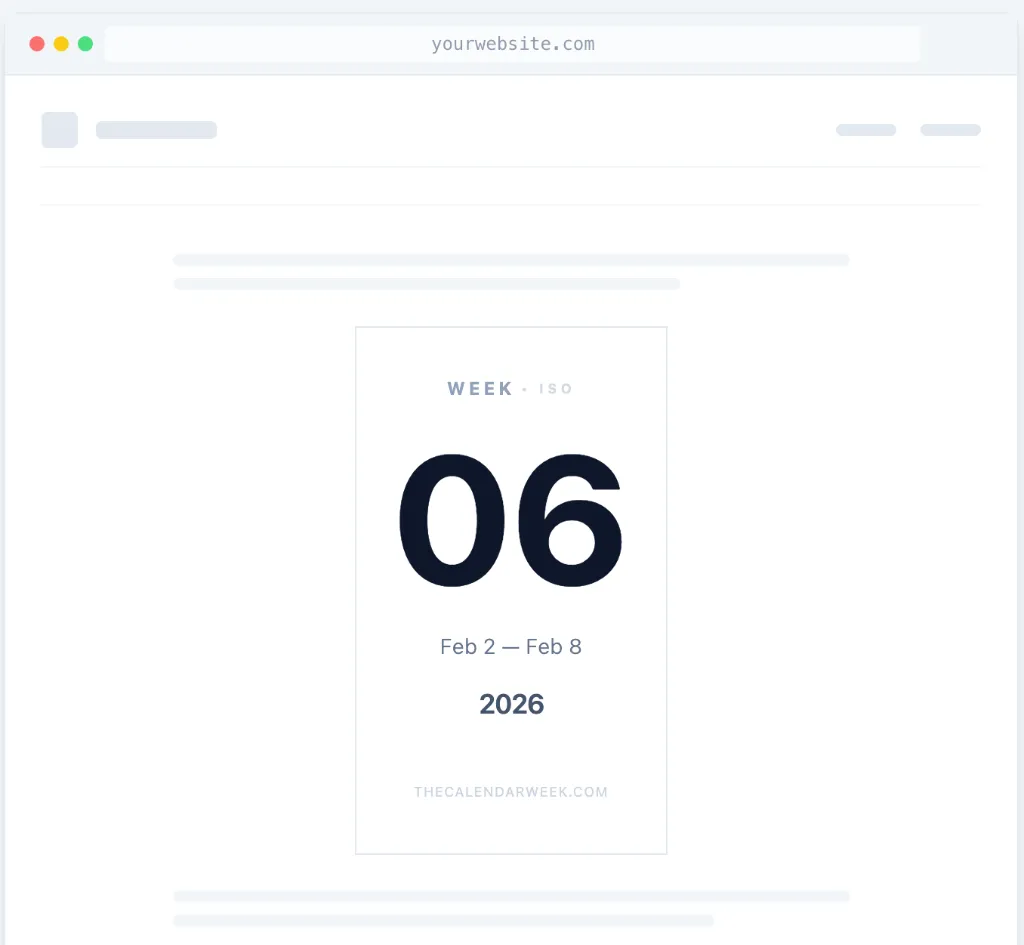
The Classic
Turn the date into art. The Classic variant uses bold sizing and creative alignment to make the week number a visual anchor of your page design.
- Editorial design aesthetic
- Great for hero sections or landing pages
- Responsive text scaling
- Modern sans-serif font
Frequently Asked Questions
How do I add the current calendar week to my website?
Simply select your preferred design above, copy the generated HTML code, and paste it into your website's source code where you want the widget to appear. It works seamlessly with WordPress, Webflow, Wix, and custom-coded sites.
Is this calendar week widget completely free?
Yes, 100% free. You can use it on personal blogs, commercial websites, dashboards, or intranets without any cost or hidden fees.
Will the widget slow down my website performance?
Definitely not. Our calendar week widget is tiny and weighs less than 2KB. Moreover, it loads asynchronously (in the background). It is architectured to have zero latency impact on your Core Web Vitals or page load speed.
How secure is the calendar widget?
Our widgets are built with security in mind. They contain no executable code. We also use Shadow DOM to encapsulate component style and scripts. This helps prevent unintended style conflicts, unauthorized script access and cross-site scripting (XSS) on your website by creating a secure boundary. In addition, all requests to our API are forced via HTTPS and content is served via secure CDN edge networks.
Is it cookie-free?
Absolutely. All calendar week widgets are stateless and set no cookies for your website visitors. For more details, visit our data protection policy and widget terms of use.
Are there any terms of use I should be aware of?
Usage is subject to our Terms of Use. We prohibit using the widget on sites with illegal or sensitive content. By embedding the code, you agree to our fair-use guidelines.
Can I embed the widget in a Forum or on SharePoint?
Absolutely! If your environment restricts external scripts (common on SharePoint, Notion, or corporate intranets), you can use our iFrame embed option instead. Simply select "iFrame" in the configurator above, copy the generated code, and paste it into your platform. For detailed integration instructions, see our iFrame Embed Guide.
Technical Specifications
The Chameleon Engine
It matches your brand automatically. Our widget intelligently inherits your existing fonts and transparency settings. No clashes, no overrides—it just looks like you built it yourself.
Shadow DOM Isolation
Won't break your layout. Guaranteed. We use Web Components with Shadow DOM encapsulation. Your CSS will never leak into our widget, and our styles will never bleed out to break your site.
Edge Performance & Resilience
Stability online. Powered by redundant edge network for fast availability in the millisecond range. View our transparent uptime history.
Zero Layout Shift (CLS)
Google loves it. We pre-allocate space to prevent Cumulative Layout Shift (CLS), protecting your Core Web Vitals and keeping your SEO scoring pristine.